

No device left behind: Home Assistant Connect AUX-2
 Shay Redmond
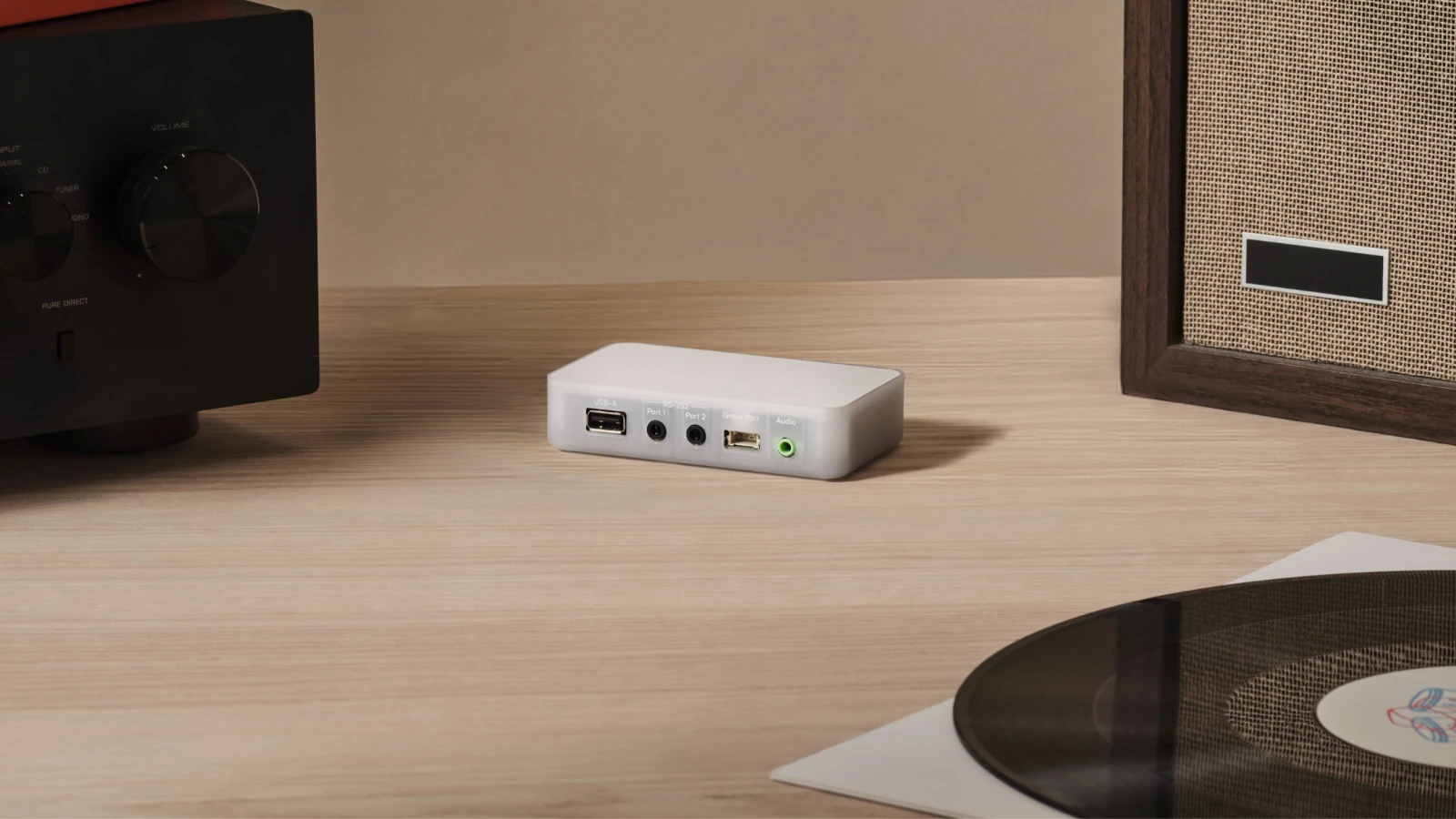
Today Nabu Casa is launching the Home Assistant Connect AUX-2, a small box that allows you to breathe new life into the not-so-smart devices around your home. Think of it as a smart home multi-tool: it can stream audio, control RS-232 serial devices, and connect a Z-Wave adapter, all while acting as a Bluetooth hub. And by popular demand 🥁, it comes with Power over Ethernet (PoE) 🎉, though you can also use USB power and Wi-Fi.
Connect AUX-2 is all about making your old gear new again. For example, its audio streaming capabilities allow you to turn that great-sounding but forgotten hi-fi into something that plays in sync with modern smart speakers. And with serial control, you can bring that old (but still functioning) solar or climate equipment into your automation setup to lower your energy consumption.
AUX-2 doesn’t just make older devices better, either. There’s also a lot of new equipment that can gain some new tricks. Skip that TV spyware, block it from the internet, and instead use your AUX-2 to control it, or get your Connect ZWA-2 in the best spot in your house while powering it with PoE.
Connect AUX-2 is available worldwide today for $69 / €59.
I’m Shay, Product Manager at Nabu Casa. You might know us as the team that makes official Home Assistant hardware and manages Home Assistant Link. As one of the Open Home Foundation’s commercial partners, our work helps fund its mission to keep smart homes private, sustainable, and shaped by you. Choice and sustainability are two of the foundation’s three core principles, and they’re at the heart of Connect AUX-2: you get to run your home on your terms, using the tech you already own. In this post, we’ll cover how AUX-2 came to be, all of the cool things it can unlock for your smart home, and why we’re so excited to share it with the community.
Ports with a purpose
Connect AUX-2 started as a much simpler idea. After we showed off portable Z-Wave last October, our original concept was a compact box that allowed a Connect ZWA-2 or ZBT-2 to run over Power over Ethernet. Around the same time, we were exploring how we could bring serial devices into Home Assistant. Since PoE accounted for most of the hardware cost of Connect AUX-2, adding extra ports turned out to be surprisingly affordable.
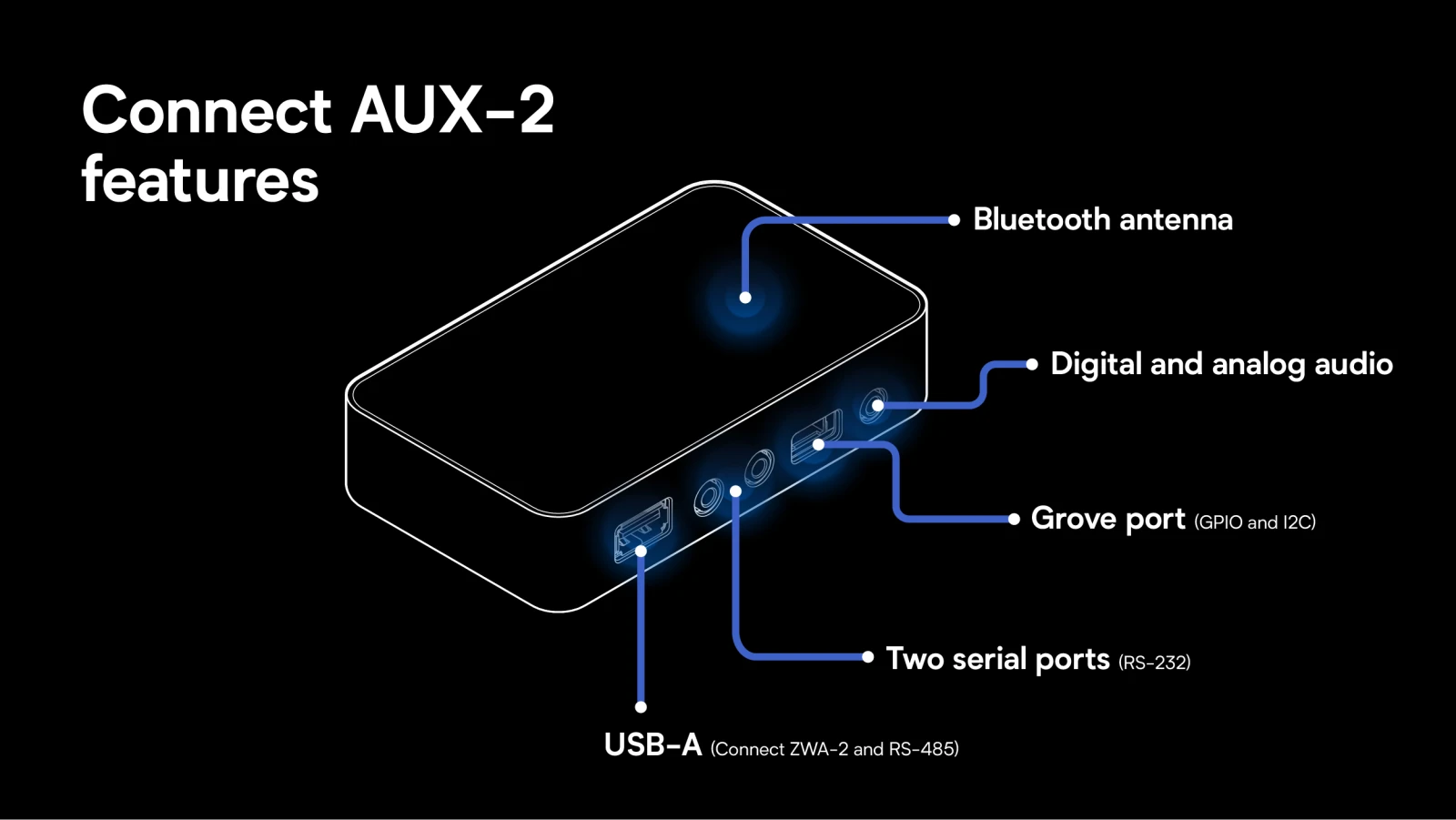 Many ports, even more possibilities
That sparked our first idea: merge the serial and USB designs (the S in that acronym does stand for serial anyways 😁). But why stop there? With Music Assistant and Sendspin rapidly becoming more awesome, it made sense to add a combo analog/digital audio jack. After more iteration, we found uses for a second serial port, a Grove connector, and an upgraded Bluetooth antenna. Eventually, we had to draw the line… otherwise, we would have never actually shipped it. That brings us to the name: AUX stands for Audio, USB, and X for serial… but it also sounds cool 😎
So while we added a lot of ports, each one was carefully considered: we put real thought into how they would work on their own and with others, and all the different jobs they could do around the home. Building something with all this functionality also supports a bigger ambition of making sure no device is left behind. The most sustainable device is the one you already own, and we believe you should have the option of making your perfectly good gear smart before you’re backed into replacing it. Now you can use Connect AUX-2 to save a device from the scrap heap, or pull it off some hellish proprietary cloud and back under your control (and if you do, please tell us about it!). Whether it’s an amplifier, a serial device, or sensor – AUX-2 has a port to bring it into your smart setup.
Forgotten audio gear gets smart
There’s a lot of overlooked audio gear out there that sounds amazing, and can be had for a steal on local marketplaces. Much of this gear has an optical digital audio input (a port that receives sound as light through a fibre-optic cable) and a serial control port (a two-way connection for commands). By connecting to both, Connect AUX-2 makes it easy to turn these classic devices into something that rivals most smart speakers.
Optical audio brings clean, lossless CD-quality sound into the device. While serial allows you to control the volume, source, and power, even from standby. This also lets you turn off some audio equipment’s poorly maintained smart features, which often waste a lot of energy in connected standby. AUX-2 never sips more than a watt or two 🤏
AUX-2’s digital-to-analog converter (DAC), the chip that turns digital audio into sound, is a nice step up from the one used in the Voice Preview Edition, letting you plug it into nearly any AUX port 😁 Its digital output is the star of the show, allowing for your self-hosted FLAC music library to be played in perfect clarity. It also senses if the audio cable is analog or digital, and will automatically switch the playback to the right output.
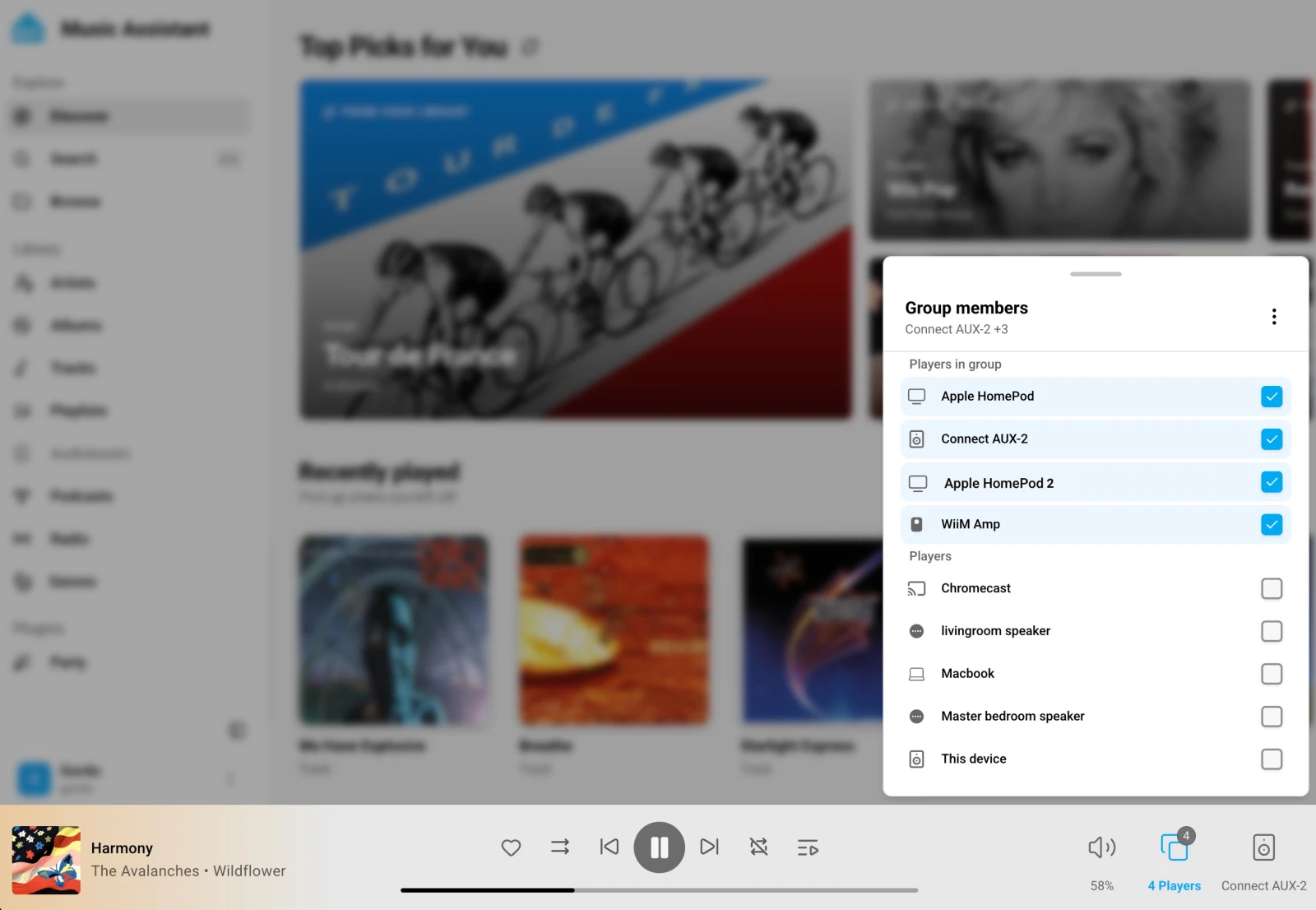 Lots of speakers all playing in sync with AUX-2
Music Assistant is what supercharges this whole setup. It supports nearly every streaming service under the sun, along with local files, combining them into one cohesive library, always choosing the best quality file to play on AUX-2. If you haven’t used Music Assistant in a while, it’s made huge leaps in the past several months. Specifically, it introduced the new Sendspin protocol, which now lets you sync audio across smart speaker brands. This means you can play music in sync by grouping multiple AUX-2s together, or pair them with a HomePod, Sonos speaker, and more. Apparently, sound passes between walled gardens 🎶
Serial gives you real control
Let’s face it, you’re not going to replace your solar inverter or brand-new TV because the app sucks. But we can replace the app, and get your data back while we’re at it. Serial has been sitting on the back of this kind of equipment for decades, and it’s what professional control systems have relied on for years. We even found a way to use it with Modbus (more about that in our deep dive 👇).
Home Assistant already supports a fast-growing list of serial devices, and they’re incredibly easy to set up and use. With two ports included, you can control two devices at once. Just get the right cable for your serial device, plug it into AUX-2, and add its integration in Home Assistant. Some devices need serial control turned on in their settings first, and then you’re set. So, if you’re sick of your LG TV listening into your home, cut it off from your network, and use the LG TV serial integration 😏
This is helpful info for serial devs, but most people can probably skip this bit.
To start off, we chose the RS-232 standard as it was the most common connector found on devices we tested, but we also discovered a way to connect RS-485 devices. Specifically, using the USB port with a $15 RS-485 adapter, you can easily connect Modbus devices. Between these two standards, it is possible to connect most serial devices.
Another choice was the 3.5 mm serial connector, allowing you to use the audio cables you already own to connect AV receivers and TVs. Don’t fret, out of the factory we put a sticker over the 3.5 mm serial ports to avoid people confusing them with audio ports (it probably won’t cause issues… but let’s not find out 😬).
Other devices will use DB9, RJ11, mini-DIN, and the list goes on. We prototyped having other connections on the back (specifically trying to fit in DB9), but we found converter cables a better solution for all this variety. Another thing we spotted during testing was cables switching the RX and TX functions, and we decided to add switches to the bottom to allow people to buy any cable with the confidence that it will work (without opening it up ✂️).
Z-Wave in the best spot
Our Zigbee and Z-Wave adapters are some of the most powerful on the market, with class-leading range, simplicity, and reliability. But sometimes your Home Assistant system is in a basement or behind thick walls, and our Connect ZWA-2 and ZBT-2 only work via USB, which means you’re tethered to that less optimal location. Connect AUX-2 allows these adapters to be placed anywhere in the home with network connectivity.
An important thing to note: We’ve been testing Z-Wave for months with this setup, and it works great. Zigbee is still very new, so we’re not currently advertising this capability on our marketing pages. It works, but we want more people to test it before we advertise it for everyday use. So anyone who can test, please tell us about your experience in the comments.
We’d highly recommend using these devices over a wired connection, and PoE makes for a pretty streamlined setup. While Wi-Fi is possible to use (our testing with Connect ZWA-2 shows only marginal increases in latency), there’s still the chance of instability or, in the case of Zigbee, increased interference.
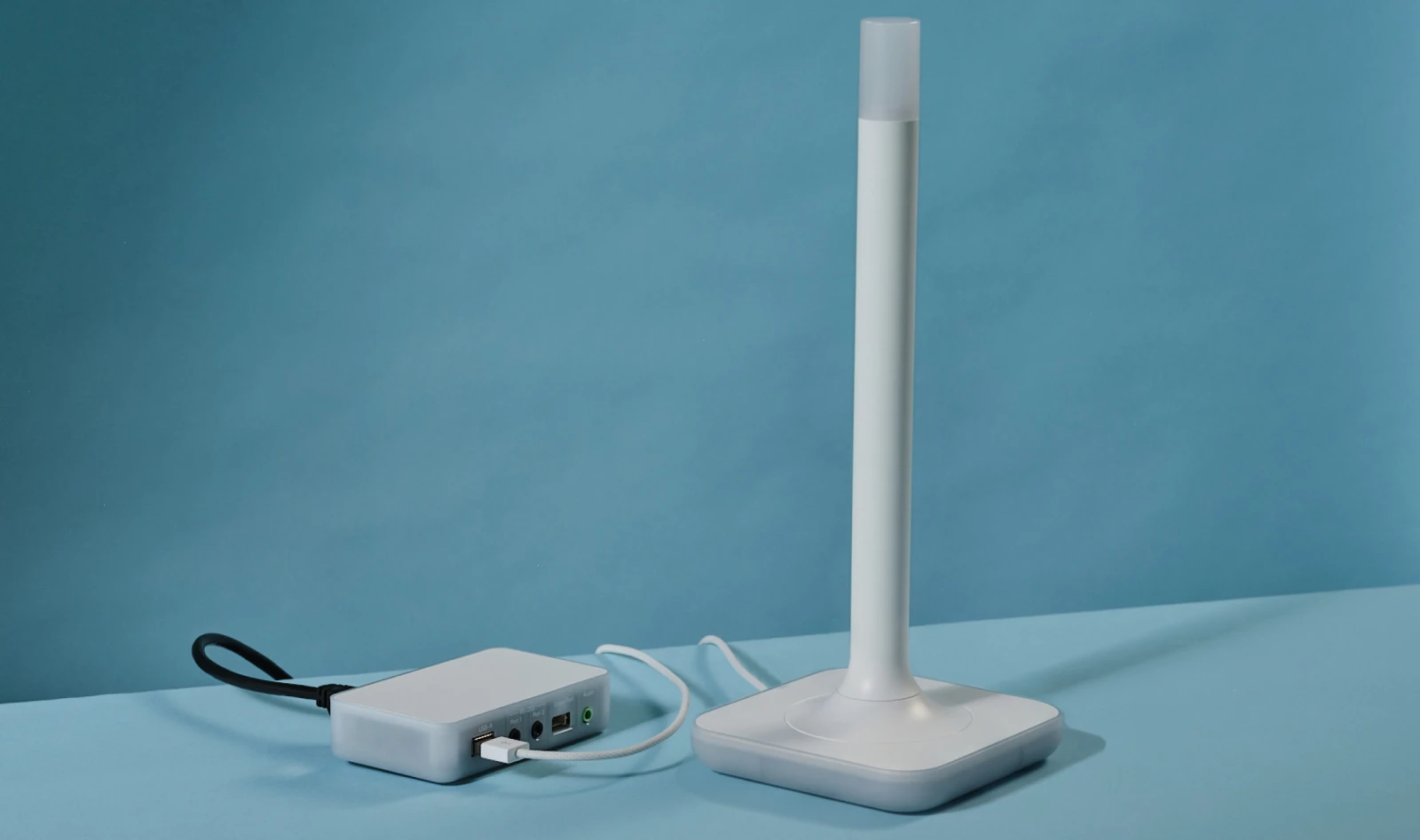 PoE gives you a pretty clean two-cable setup.
One thing we haven’t been able to get working is Thread connectivity; it’s just too latency-sensitive and cannot be run reliably over a network connection. Theoretically, a Connect ZBT-2 and AUX-2 could be combined to make a standalone OpenThread border router that runs independently of your Home Assistant system, but it requires a big rewrite of the serial communications and that work hasn’t even started yet.
Replace your Bluetooth hub
Bluetooth is used by all sorts of smart home devices; some even make it seem like their cloud-connected hub is the only way to connect them. The truth is, Bluetooth devices often work better when directly connected to Home Assistant. Connect AUX-2 is our first purpose-built device to connect Bluetooth devices (called a Bluetooth proxy in Home Assistant).
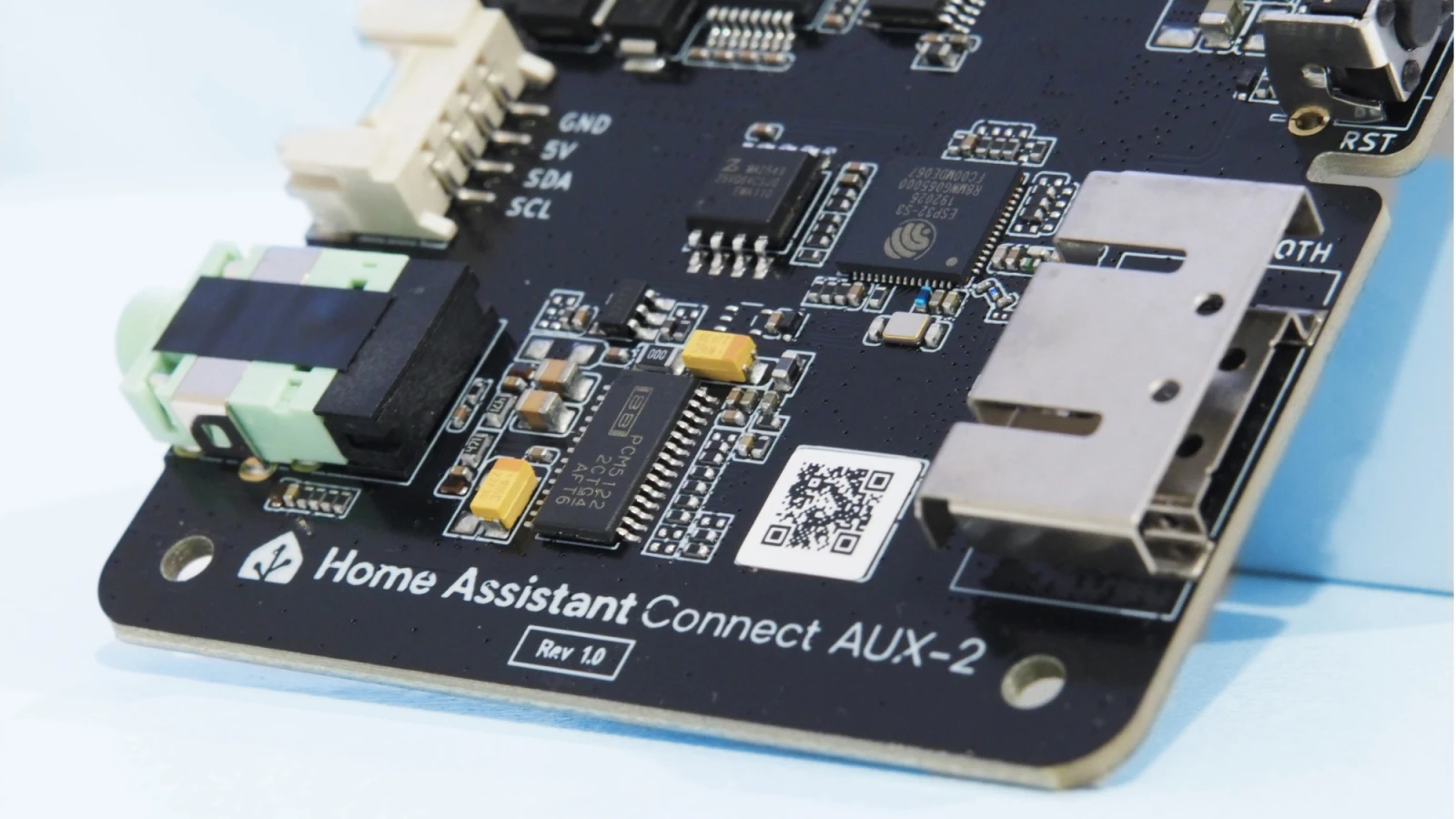 That piece of metal on the right is a very capable antenna.
No flashing or configuration: when you add AUX-2 to Home Assistant, it will start discovering Bluetooth devices around your home. It has an optimized antenna, and you can put several in your home to improve Bluetooth connectivity. Also, when you use it with Ethernet, it will no longer be sharing the same antenna between Wi-Fi and Bluetooth, ensuring it’s dedicated to the job.
Built to be tinkered with
Like all official Home Assistant devices, we’ve made Connect AUX-2 to be tinkered with. It is fully unlocked and ready to try out new firmware. Want to turn this into a dedicated Squeezelite or Snapcast streamer? Build to your heart’s content 🛠️
The Grove port on the AUX-2 offers an easy way to add sensors to the device without opening it up. It supports GPIO and I2C sensors, which measure things like temperature, humidity, or light via AUX-2. Those readings then show up in Home Assistant, where you can use them in dashboards and automations. For example, if you’re using AUX-2 to monitor your rack’s uninterruptible power supply (UPS) or power distribution unit (PDU), why not add a temperature sensor to keep an eye on its cooling? This can all be done with a $5 sensor and a little ESPHome building.
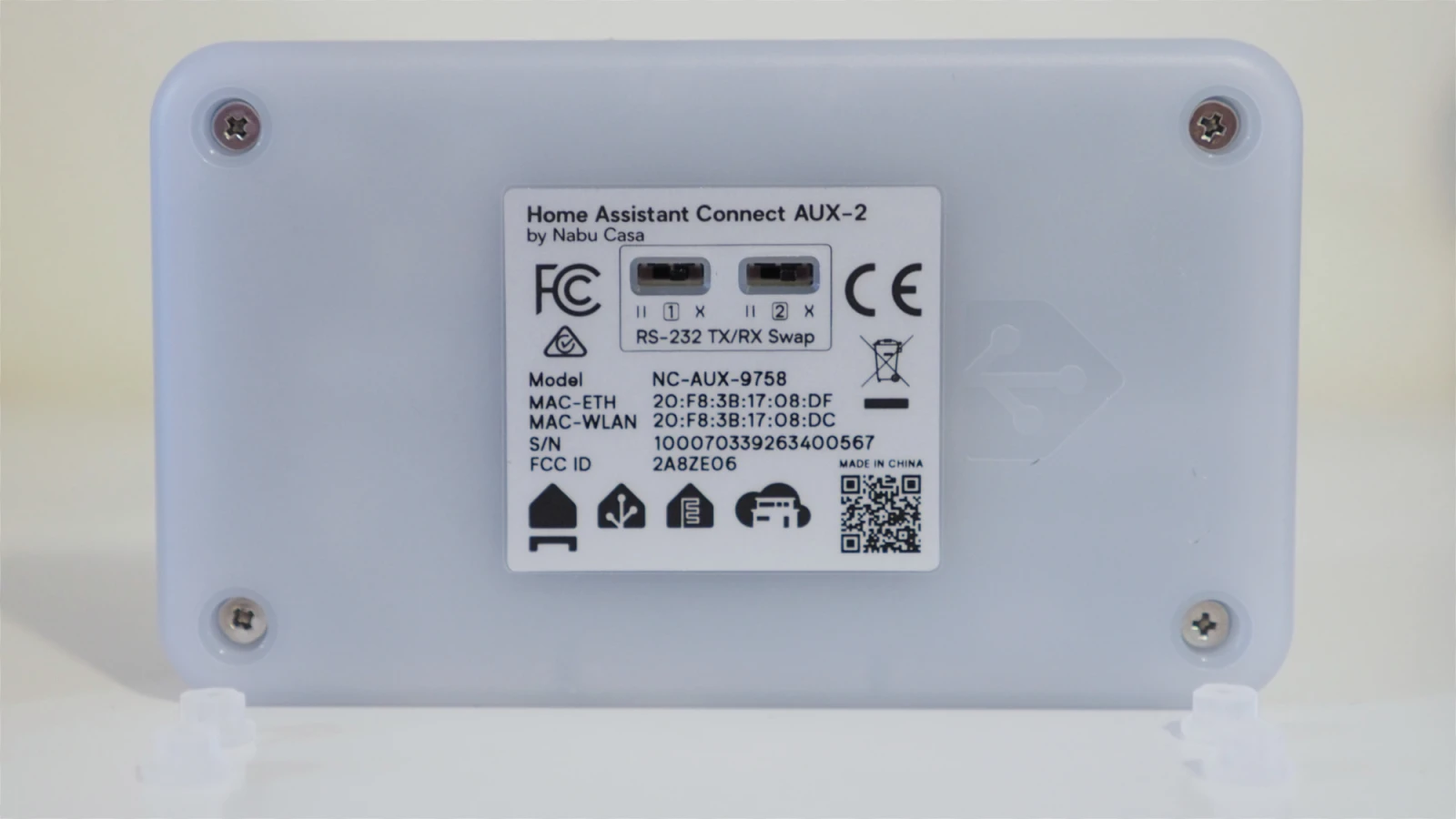 These screws are the only thing between you and the insides.
As always, we never use clips or glue; just four Phillips head screws and you can take the whole thing apart. We’ll also release all the PCB and 3D print files to get the modding community going.
Oh yeah… it has PoE
Our last four products might have skipped Power over Ethernet (PoE), but the AUX-2 is four products in one… so by our calculations, we now have an even split of PoE and non-PoE devices 😉 Joking aside, we know how many of you love PoE, and we’re also big fans. For anyone new to it, PoE allows you to send both power and data to a device with a single Ethernet cable, which means you can place it anywhere you can run a cable, without the need for a nearby outlet. For installers or DIY pros, it provides amazing flexibility, and we thought this device was a perfect fit, as you can do some very advanced stuff with AUX-2.
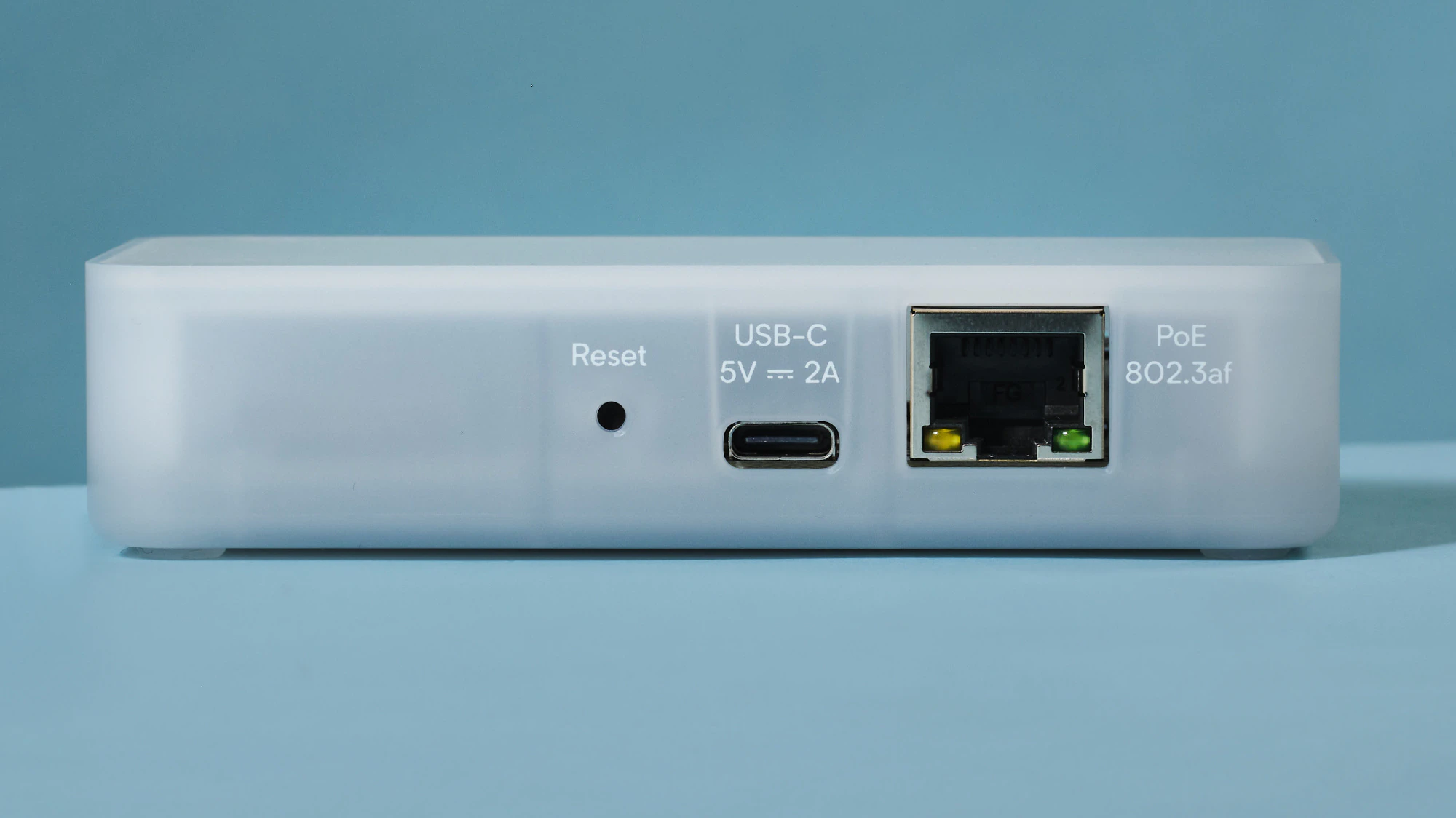 Power it with USB or PoE, and connect it with Ethernet or Wi-Fi.
We put a lot of work into getting it right: we tested the PoE port across a wide range of hardware to ensure it works reliably, even with picky networking gear. So we’ve learned a lot and could apply that to future products. Now we just need to make sure the demand is there.
Building for everyone
Connect AUX-2 has a little something for everyone, but if it’s more than you need, that’s also OK. You might only want PoE for your Connect ZWA-2, or a Bluetooth hub replacement. Our hardware is always focused on bootstrapping development, and it’s no coincidence that serial has progressed leaps and bounds this year, or that more Zigbee adapters can now work over a network. These capabilities are now built into ESPHome and Home Assistant, so you can DIY a solution that works for you.
As we always say, when you buy our products, you’re investing in development. That’s the power of this community: everyone benefits from what we build together. And we all share the same goal of getting the most out of the devices already in our homes. So get in the comments and tell us what you make with your AUX-2!