Home Assistant Apps
Apps (formerly known as add-ons) extend Home Assistant with additional applications that run alongside it on your own hardware. You can install, update, and configure them in a few clicks from the built-in Settings > Apps panel.
Apps can run anything from an MQTT broker for your smart devices, to a network-wide ad blocker, to a file-sharing service that lets you edit your configuration from another computer. Whatever you install stays on your own hardware, alongside the rest of your smart home.
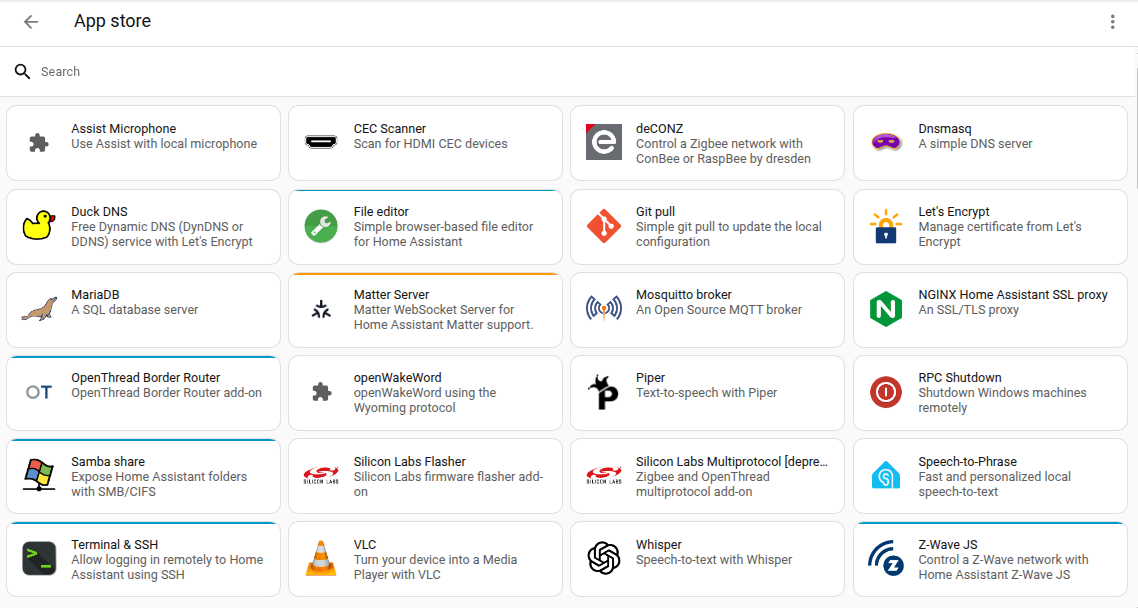 Apps for Home Assistant are freely available in the App store.
To install an app, in Home Assistant, go to Settings > Apps, and select Install app. All apps, including their documentation, are available right from the store. Select an app you are interested in to read its documentation or to install it.
Check the Home Assistant forums for app repositories managed by the community.