Override schedule work area
The Override schedule work area action lets your mower mow a specific work area for a set duration, overriding all of its configured schedules for that time.
This is handy when you want to focus the mower on one part of the garden, for example mowing only the front lawn before a barbecue. The duration can be between 1 minute and 42 days. This action is available only on mowers that support work areas.
Using this action from the user interface
If you prefer building automations and scripts visually, Home Assistant walks you through this action step by step. You pick what to target, tweak a few options, and save. No YAML knowledge required.
To override the schedule for a work area from an automation or a script:
- Go to Settings > Automations & scenes.
- Open an existing automation or script, or select Create automation > Create new automation.
- If you’re setting up a new automation, add a trigger in the When section. Scripts don’t need a trigger. They run when something else calls them.
- In the Then do section, select Add action.
- Select what you want to control. Under By target (see Targets), select the mower you want to control.
- From the actions shown for that target, select Override schedule work area.
- Set the Duration and the Work area ID.
- Select Save.
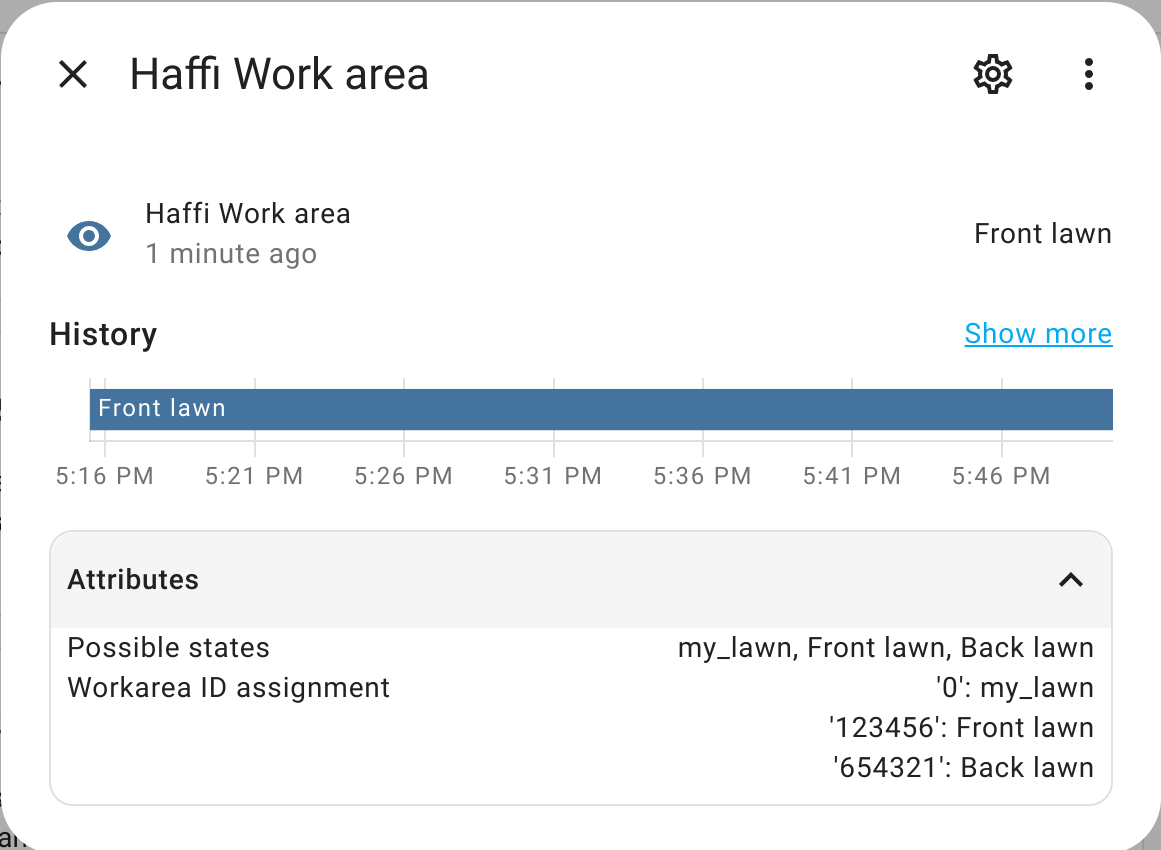
You can find the work area ID on the Work area sensor of your mower.
Options in the UI
Using this action in YAML
If you work directly in YAML, or you want to know exactly what Home Assistant does under the hood, this section has the technical reference. It lists the field names you use in YAML, their types, and which ones are required.
In YAML, refer to this action as husqvarna_automower.override_schedule_work_area. A basic example looks like this:
action: husqvarna_automower.override_schedule_work_area
target:
  entity_id: lawn_mower.garden
data:
  duration:
    days: 1
    hours: 12
    minutes: 30
  work_area_id: 123456
This sends lawn_mower.garden to mow work area 123456 for one day, 12 hours, and 30 minutes, ignoring its schedules during that time.
Options in YAML
How long the override should last. Accepts a Home Assistant duration object with days, hours, minutes, and seconds keys, or an ISO 8601 duration string like “00:15:00”. Minimum 1 minute, maximum 42 days.
Targets of the action
This action requires a target. The target is the object of the action. You can point the action at a single entityAn entity represents a sensor, actor, or function in Home Assistant. Entities are used to monitor physical properties or to control other entities. An entity is usually part of a device or a service. [Learn more], a device, an area, a floor, or a label, and Home Assistant will run the action on every matching lawn_mower entity behind that target.
-
Entity: one specific lawn_mower entity, such as
lawn_mower.living_room. - Device: every lawn_mower entity that belongs to a device.
- Area: every lawn_mower entity in a room or area.
- Floor: every lawn_mower entity on a floor.
- Label: every lawn_mower entity that shares a label.
You can also select different target types in one action. For example, you can add a specific entity and an area as targets in the same action to run the action on both of them at once.
Try it yourself
Ready to test this? Open Settings > Tools > Actions, search for this action, fill in the fields, and select Perform action. You see what happens on your actual entitiesAn entity represents a sensor, actor, or function in Home Assistant. Entities are used to monitor physical properties or to control other entities. An entity is usually part of a device or a service. [Learn more] without writing a line of YAML.
Still stuck?
The Home Assistant community is quick to help: join Discord for real-time chat, post on the community forum with the action you’re calling and what you expected to happen, or share on our subreddit /r/homeassistant.
AI assistants like ChatGPT or Claude can also explain actions or suggest the right one when you describe what you want in plain language.
Related actions
These actions work well alongside this one:
- Override schedule: Lets the mower either mow or park for a given duration, overriding all schedules.