System information
The System information dialog provides detailed technical information about your Home Assistant instance, including system architecture, operating system and version, installation type, Python version, frontend version, and more.
Viewing system information
- Go to Settings > System > Repairs.
- From the three dots
menu (top right), select System information.
What information is available
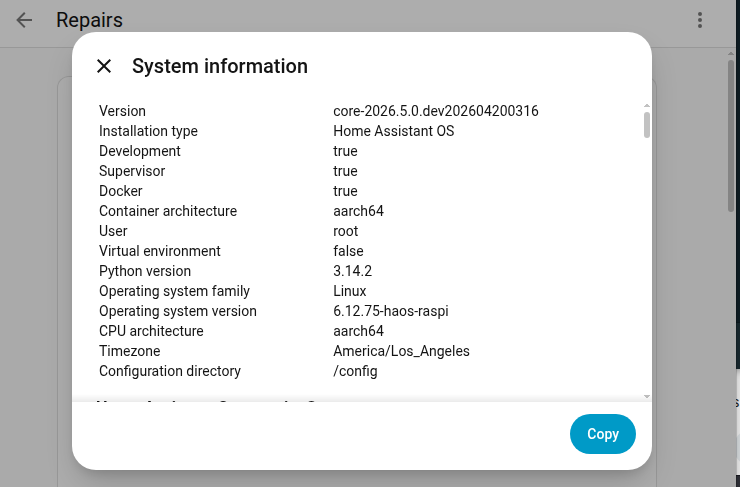
The System information dialog provides system details, including:
- Home Assistant Core: Version, installation type, and Python version, architecture, operating system (kernel) version, and timezone
- Home Assistant Supervisor: Version and disk usage (if applicable)
- Home Assistant Operating System: Version and board type (if applicable)
- Home Assistant Cloud: Connection status and certificate information (if configured)
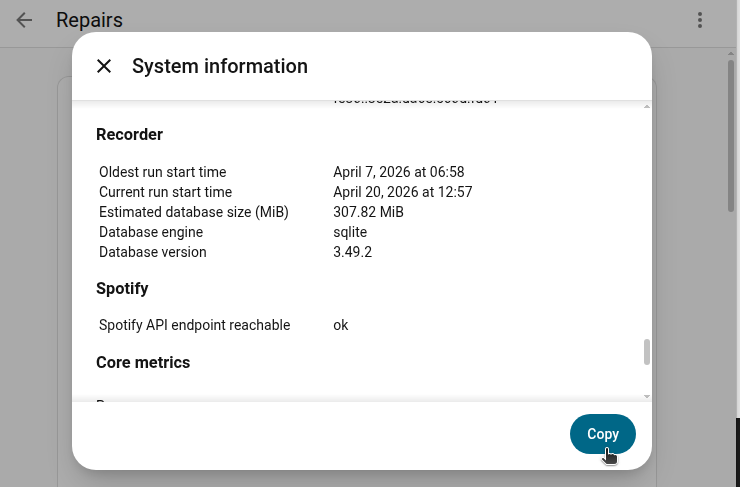
- Recorder: Database engine and estimated database size
- Network: Network configuration details
- Resources: Number of Dashboards and Views
This information is useful for:
- Troubleshooting issues with your installation
- Checking system resources before creating backups
- Verifying your installation meets requirements for specific integrations
- Sharing technical details when reporting issues on GitHub
Reporting issues on GitHub
When reporting issues on GitHub, you’re often asked to provide system information.
Follow these steps to copy your system information:
- In the bottom-right corner of the System information dialog, select the copy button.
- This formats the data and places it on your clipboard.
- Paste it into your GitHub issue.
Viewing integration startup time
If Home Assistant is taking a long time to start, you can identify which integrations are causing delays and potentially have connectivity issues.
To view integration startup times, follow these steps:
- Go to Settings > System > Repairs.
- From the three dots
menu, select Integration startup time.